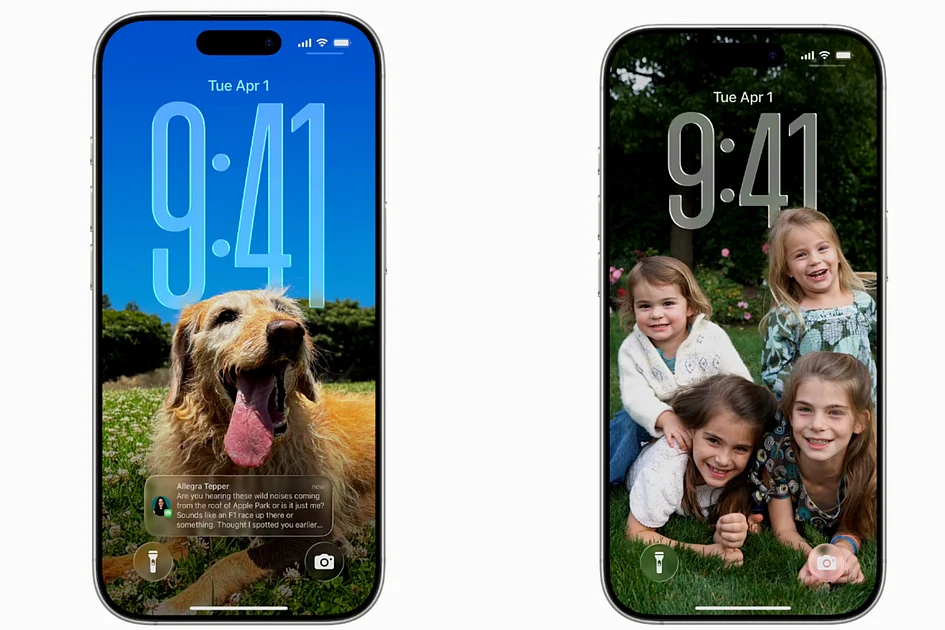
Apple continues to refine its mobile operating system with the latest iOS 26.2 update, introducing sophisticated customization enhancements specifically targeting the Lock Screen interface. This incremental update builds upon the Liquid Glass design language introduced in iOS 26, offering users unprecedented control over visual aesthetics without fundamentally altering the operating system’s core functionality.
The most significant improvement arrives in the form of an expanded opacity slider for the Lock Screen clock. Previously, users could apply a translucent, frosted-glass effect to their clock display, but customization options remained relatively constrained. iOS 26.2 dramatically enhances this capability by providing a broader spectrum of transparency adjustments, enabling either near-invisible minimalism or bold, high-contrast readability depending on user preference.
This enhanced customization works seamlessly across all available clock fonts, allowing consistent transparency adjustments regardless of typographic choice. The functionality enables perfect harmony between clock displays and background wallpapers, whether users prefer intricate photographic backgrounds or clean gradient designs.
Accessing these new features requires a simple process: users must long-press their Lock Screen, select ‘Customize,’ choose the clock element, ensure the Glass style (rather than Solid) is activated, and then manipulate the enhanced opacity slider to achieve their desired visual effect.
Despite these advancements, one notable limitation persists from previous versions. The ability to resize the Lock Screen clock remains exclusively available with the default system font. Users who opt for alternative typfaces can adjust transparency but cannot modify clock dimensions, maintaining a consistency in Apple’s design approach while leaving room for future enhancements.
The iOS 26.2 update represents Apple’s continued commitment to incremental refinement rather than revolutionary change, focusing on quality-of-life improvements that enhance the user experience through subtle but meaningful interface adjustments.